WIDGET APPS FOR ELEMENTOR
Create a 'smarter' website with Contact Button Widget Apps
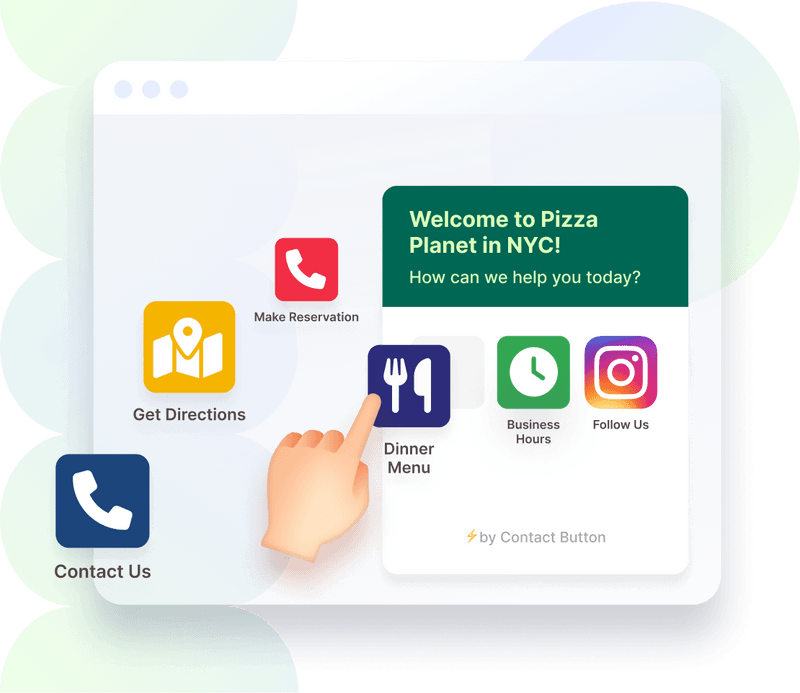
Adding a Contact Button to your Elementor website allows you to offer a smartphone-like experience that is always accessible via one click in the corner of your website.
You have full control over which widgets show up inside you Contact Button menu and can install any of our apps, even on the free plan.
- 14-day free trial
- No credit card required
- Cancel anytime
Contact Forms for Elementor
Create custom forms to display inside your contact button menu.
Email Subscriptions for Elementor
Automatically add visitor email info to your preferred mailing list.
Reservations & Bookings for Elementor
Embed the booking screens of popular appointment software.
Lists & Menus for Elementor
Great for restaurant menus, product catalogs, and job boards.
Images & PDFs for Elementor
Display an image, QR code or PDF file in the button menu.
Business Hours for Elementor
Display your daily operating hours in a simple text format.
Social Links for Elementor
Link to your profile pages on the most popular social apps.
Website Links for Elementor
Send people to the internal or external website URL of your choice.
Click-to-Call for Elementor
Make it easy for visitors to call your number via a mobile device.
Chat Widgets for Elementor
Integrate your contact button with popular chat widget software.
Facebook Messenger for Elementor
Send conversations directly to your Facebook Messenger account.
WhatsApp Business for Elementor
Help website visitors message you on WhatsApp via a link or QR code.
HTML Embed for Elementor
Insert 3rd party code or iframes inside your contact button menu.
CMS INTEGRATIONS
Install your Contact Button with Widget Apps on any website builder
If you know how to copy & paste text, we have step-by-step guides to show you how to set up the rest.
Click on any of the website builder icons to learn more.